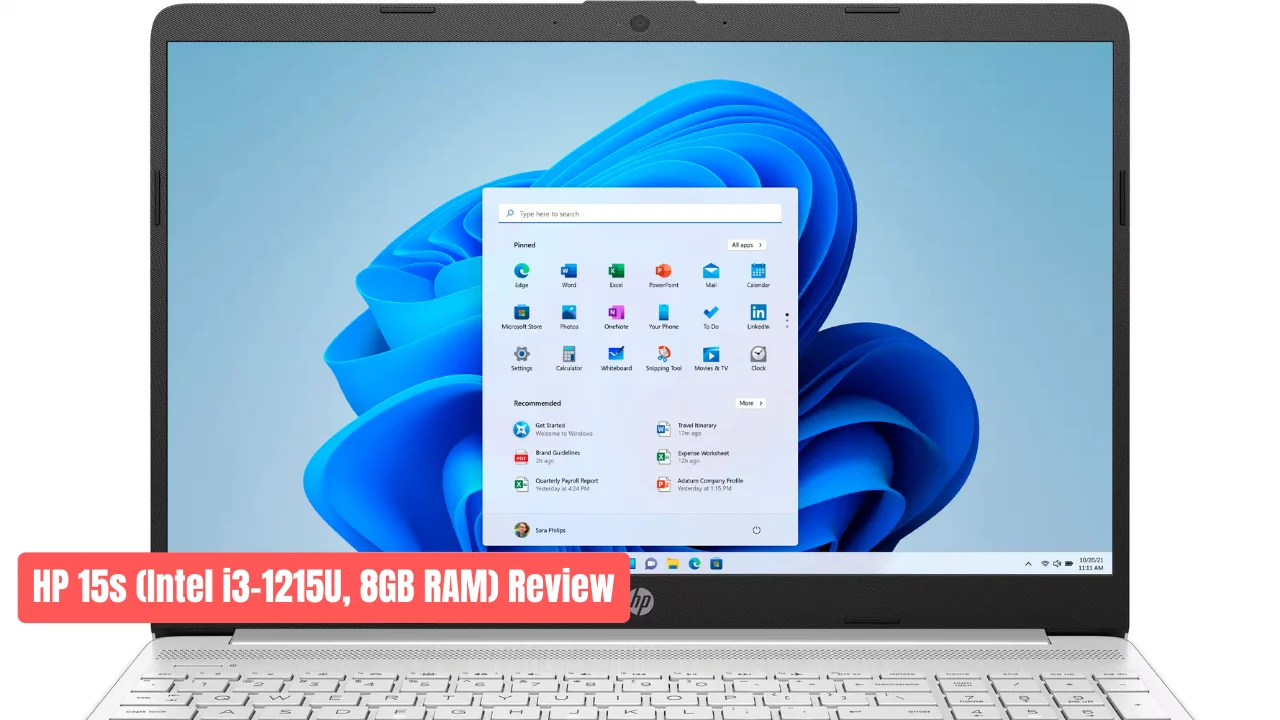

Buying a new laptop today can be expensive, but the HP 15s with Intel’s 12th Gen i3-1215U shows that a good machine doesn’t need a high price tag. With 8GB RAM and solid performance, this model is now trending across tech forums and X. Many users are calling it the best laptop under $400 right now.
Key Takeaways On HP 15s
- Intel 12th Gen i3-1215U delivers strong everyday performance.
- Boots in under 10 seconds thanks to the fast SSD.
- Real-world battery lasts 6–7 hours.
- Starts around $329–$350 during deals.
- Great choice for students and home users.
Quick Specs Overview
| Feature | What You Get |
|---|---|
| CPU | Intel Core i3-1215U (2 performance + 4 efficiency cores) |
| RAM | 8GB DDR4 (soldered, non-upgradable) |
| Storage | 256GB or 512GB SSD (some versions expandable) |
| Display | 15.6-inch Full HD IPS, 250 nits, anti-glare |
| Battery | 41Wh, up to 7 hours, 50% charge in 45 minutes |
| Weight | 1.69 kg, light and easy to carry |
| Price | Around $300–$450 depending on configuration |
What Users Are Saying on X About HP 15s
@DealHunter_IN: “Got HP 15s i3-12th for ₹32,990. Boots faster than my old i5!”
@StudentVibes: “Used it for online classes with 12 tabs and Spotify. Battery lasted all day.”
@BudgetTechDad: “512GB model at $379. My kids use it daily for schoolwork and YouTube.”
These real user posts show how well the HP 15s performs in daily tasks without lag or noise.
Everyday Wins with HP 15s
1. Fast Boot and Load Times
The SSD reaches up to 3,000 MB/s read speed. Windows 11 starts in seconds, and apps open instantly.
2. Smooth Multitasking
The 12th Gen hybrid CPU handles Word, Chrome tabs, and Zoom calls without slowing down.
3. Comfortable Display
The Full HD panel with slim bezels feels wide for browsing or streaming. Anti-glare coating helps reduce strain.
4. Reliable Battery
Gives around 6–7 hours with normal use. The fast-charging feature is useful when traveling.
5. Useful Connectivity
Comes with USB-C, dual USB-A ports, HDMI, SD reader, and a headphone jack. You don’t need extra adapters.
The Downsides Of HP 15s
- Dim Screen: 250 nits brightness is fine indoors, but not great outdoors.
- Fixed RAM: 8GB works now, but it can’t be upgraded later.
- Weak Speakers: Audio is clear for calls but lacks depth for music or movies.
HP 15s vs Competitors
| Laptop | CPU | RAM/Storage | Battery | Street Price |
|---|---|---|---|---|
| HP 15s i3-1215U | 12th Gen 6-core | 8GB / 512GB | ~7 hrs | $350 |
| Lenovo V15 (Ryzen 3) | Ryzen 5000 | 8GB / 256GB | ~6 hrs | $340 |
| Acer Aspire 3 | i3-1115G4 (11th Gen) | 4GB / 256GB | ~5 hrs | $310 |
HP 15s leads with a newer processor and a larger SSD, making it better for everyday performance.
Who Should Buy HP 15s
Recommended for:
- Students and home users
- Remote workers and online learners
- Users needing Windows for productivity apps
Avoid if:
- You work with 4K video or high-end games
- You need a brighter outdoor screen
- You want future RAM upgrades
HP 15s Pro Tip
Pair it with a $15 wireless mouse and a basic laptop stand. It feels like a premium setup worth twice the price.
Final Verdict On HP 15s
The HP 15s i3-1215U is not a gaming machine or a premium ultrabook, but it’s one of the most dependable laptops under $400 in 2025. With quick boot times, solid performance, and long battery life, it’s a smart buy for students and daily users.
Check current deals on Amazon, Flipkart, or local retailers prices change fast, and this model often sells out quickly.